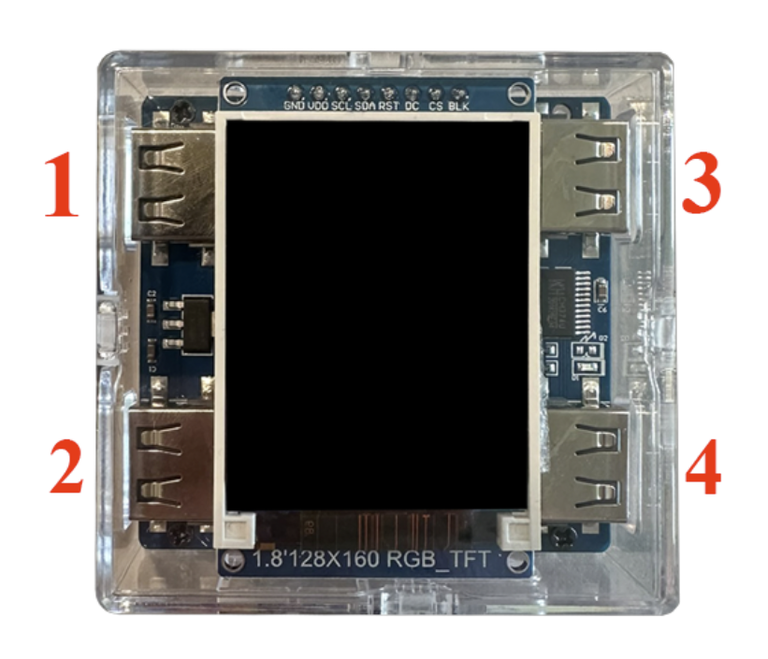
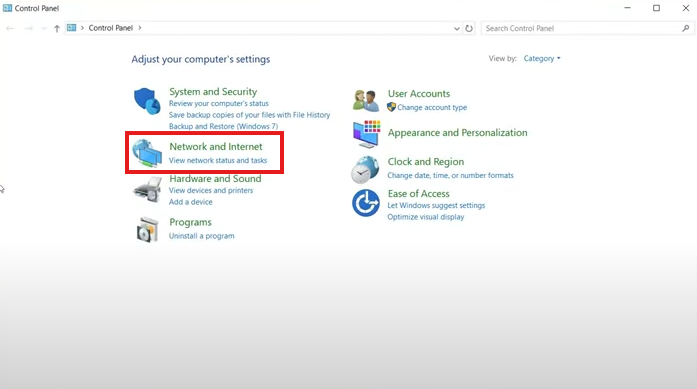
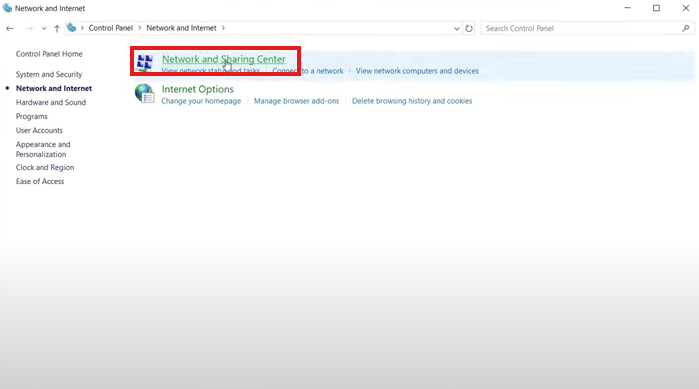
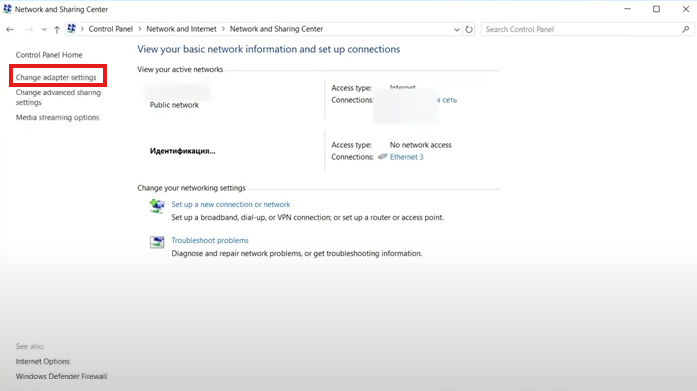
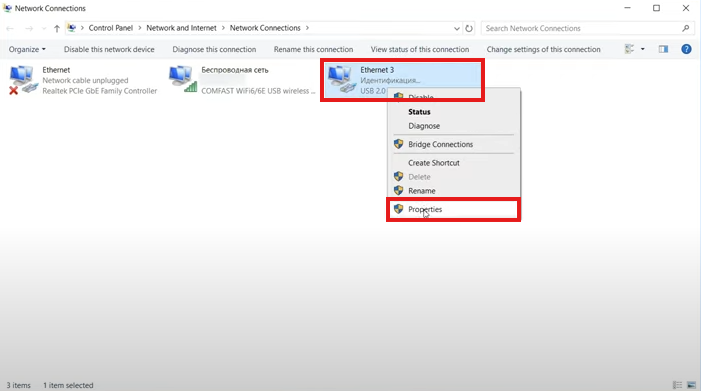
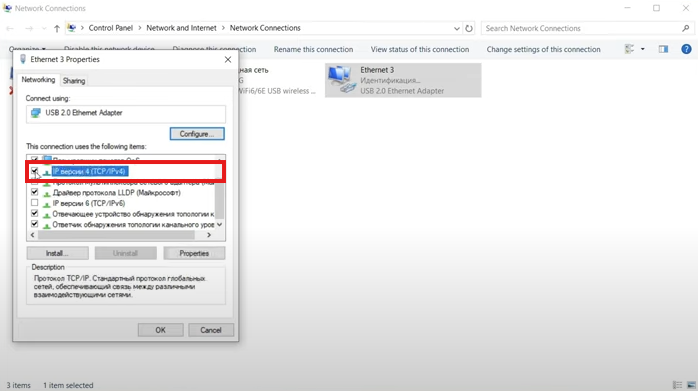
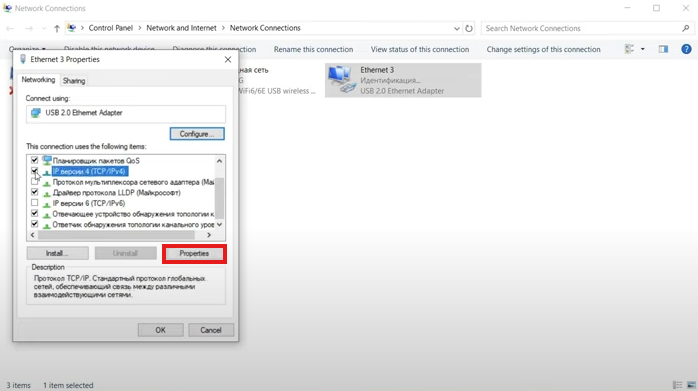
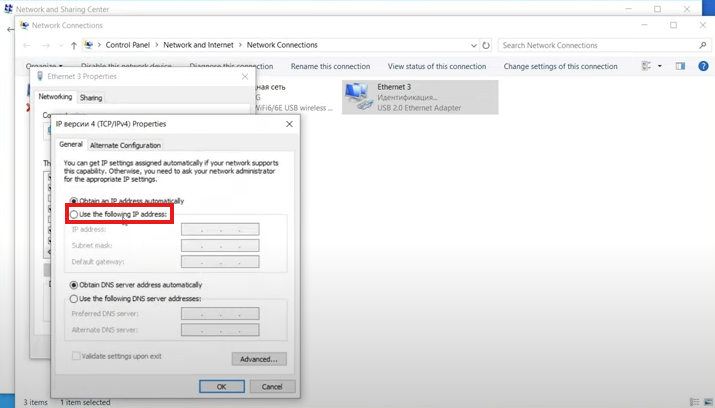
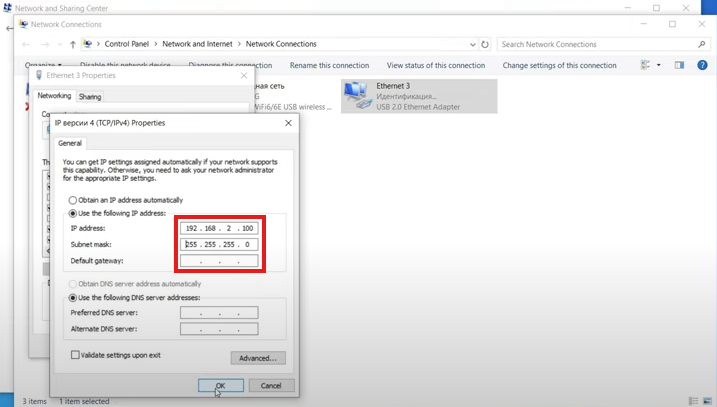
Guide DMA guide DMA guide 4K FUSER guide 4K FUSER guide 2K FUSER guide 2K FUSER guide KMBOX-NET KMBOX-NET KM Box Net Setup Connect the KM Box Port #1 → Connect to your second PC using the included USB cable.Port #2 → Connect to your main PC using the included USB cable.Port #3 or #4 → Connect your keyboard or mouse (either port works). Configure Network Settings 1. Click Network and Sharing Center. 2. Click Network and Sharing Center. 3. Click Change adapter settings. 4. Locate the KM Box network adapter.If it’s not showing, unplug and replug the KM Box. 5. Right-click the adapter and select Properties. 6. Select Internet Protocol Version 4 (TCP/IPv4) and make sure it’s enabled. 7. Click Properties. Assign a Static IP Address Select Use the following IP address and enter: IP Address: 192.168.2.100Subnet Mask: 255.255.255.0 Save & Finish Close all dialog boxes.Your KM Box is now ready to use. ✅ You're Done Your KM Box Net is now setup and ready to use!